Stablecoin payments let a customer pay an online store in a digital token that is meant to stay worth one US dollar, usually USDT or USDC. For the store, that means a price that does not swing like Bitcoin, no card chargebacks, and money that can arrive in your own wallet within minutes. It also means refunds are your job and some buyers will still prefer a card. This page explains how stablecoin payments work, what they ask of you, and how to start in WooCommerce.
The short answer
Stablecoin payments suit a store that sells to people who already hold USDT or USDC, or one that wants a payment method cards cannot give. They work best as an extra option next to cards, not as a replacement. The main costs are not fees. They are the work of refunds, the care you take with wallet and network mistakes, and the rules in your country.
What a stablecoin is
A stablecoin is a token designed to keep a fixed value, usually one US dollar. The two best known are USDT, issued by Tether, and USDC, issued by Circle. The issuers say each token is backed by reserves. Tether’s transparency page says its tokens are “backed 100% by Tether’s Reserves”, and Circle publishes reserve information on its own transparency page. These are the issuers’ statements, and we did not audit them.
Stablecoins live on several blockchains. The ones StayCrypto accepts are Tron, BNB Chain, Polygon and Ethereum. The same coin on a different network is a different thing for the wallet, which is why the network matters when a customer pays.
How stablecoin payments work in a store
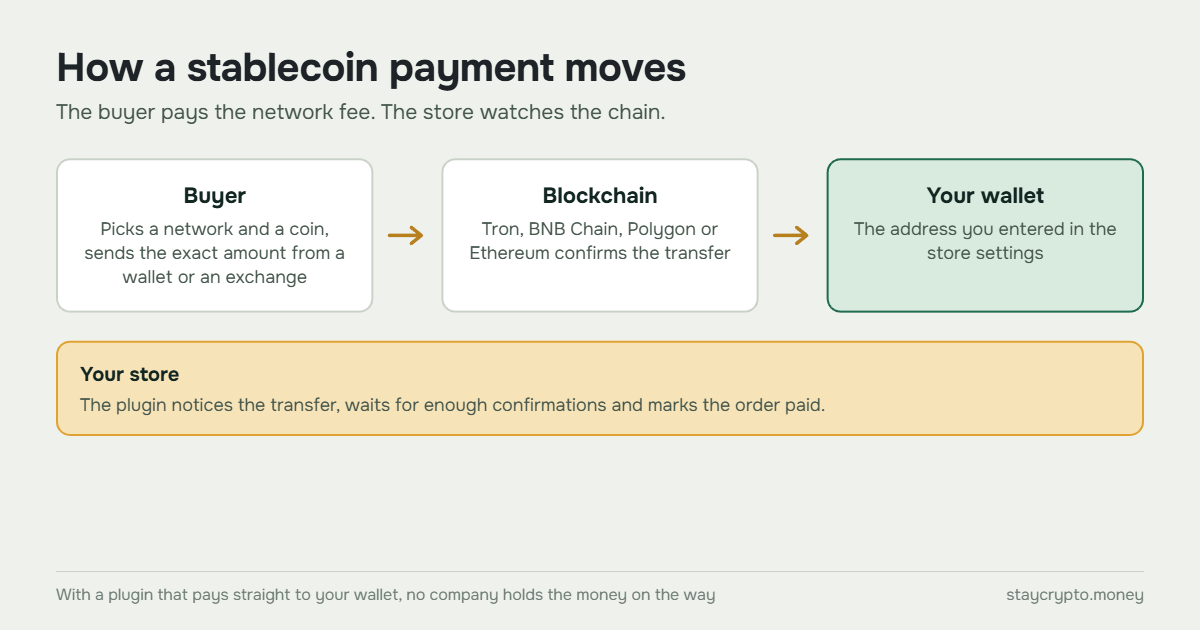
At checkout, the customer picks stablecoin payment, then a network and a coin. The store shows a wallet address, an exact amount and usually a QR code. The customer sends that amount from their wallet or an exchange account. The store notices the transfer on the blockchain, waits for enough confirmations, and marks the order paid.
With a plugin that pays straight to your wallet, there is no company holding the money on the way. The customer pays the network fee for the transfer. With a hosted gateway, a company sits between the customer and you, takes a fee, and passes the money on. Our comparison of seven WooCommerce crypto payment plugins shows both kinds side by side.
What you gain
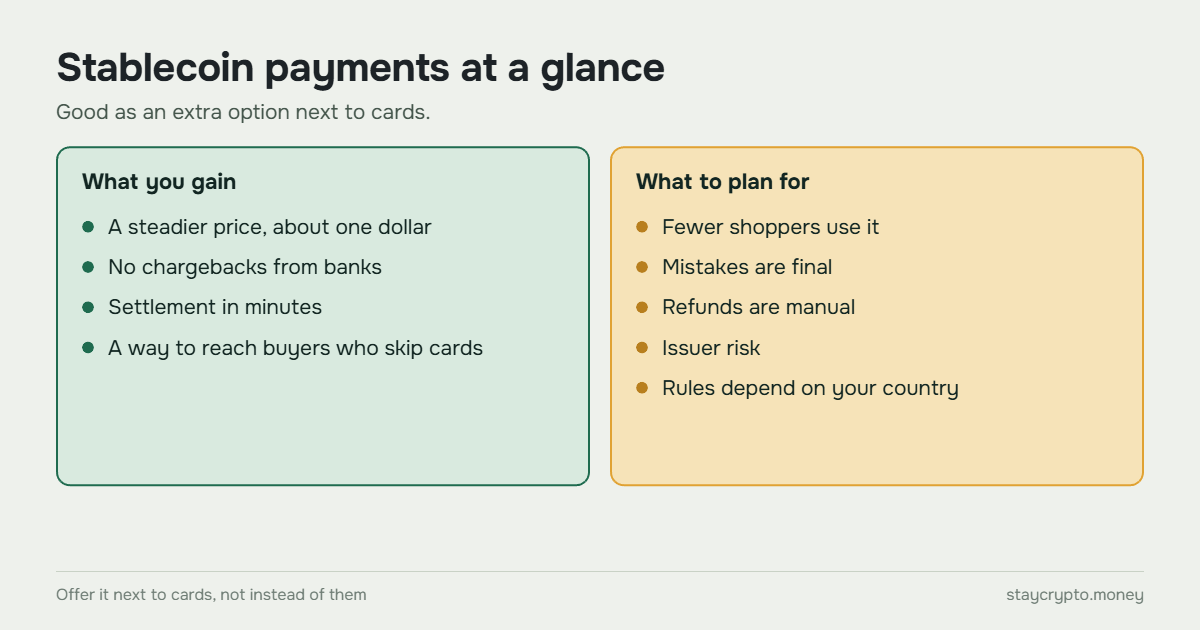
A steadier price. A $100 order stays about $100, unlike an order paid in Bitcoin. If your store prices in another currency, the plugin converts at the current rate when the customer starts the payment, and the amount on that invoice stays fixed.
No chargebacks from banks. A confirmed transfer cannot be reversed by a card network. That ends disputes where a customer gets the goods and then contests the payment. It also means a mistake is final, which we cover below. We wrote about this in crypto chargebacks and the refund situations you will meet.
Settlement in minutes, not days. Once the network confirms, the order can complete. With a non-custodial setup, the money goes to your own wallet and nobody on the way can hold it.
A way to sell to buyers who do not use cards. Some buyers prefer paying from a crypto wallet or an exchange. For them, a stablecoin option can be the easiest way to pay you.
What it costs
The customer pays a small network fee for the transfer, and it differs by network. We compared the networks in Tron, Polygon, BNB Chain and Ethereum compared.
For the store, a plugin that pays straight to your wallet has no processing fee. A hosted gateway usually takes a percentage of each payment, so check the fee schedule and the hidden lines in what to check in a crypto payment gateway. Card processors also charge a percentage, and the rate depends on your country and your contract, so compare with your own statement, not with a number from a blog.
Your real extra cost is the step you add if you want regular money. You convert stablecoins to dollars or euros through an exchange, and that costs something too.
Where it falls short
Fewer customers use it. Most shoppers still pay by card. Offer stablecoins next to cards, not instead of them.
Customer mistakes are final. A payment sent on the wrong network, or a short amount, needs manual help. We cover the common cases in why a USDT payment does not show in WooCommerce and in why a USDT invoice has extra cents.
Refunds are manual. You send a new transfer from your wallet. Our guide to refunding a crypto payment in WooCommerce shows the steps.
Issuer risk. A stablecoin is only as good as the issuer’s reserves and its ability to pay out. In March 2023, USDC briefly traded below one dollar on some exchanges after Circle said part of its reserves was stuck at Silicon Valley Bank. Circle said it would cover any shortfall, and the funds were later made available (Kitco report). It is rare, but it shows the risk is real.
Your wallet is now the bank. If the key or the address in your settings is compromised, payments go to someone else. See crypto wallet security for an online store.
The rules depend on your country. Tax, reporting and licensing rules for accepting stablecoins differ from place to place. We are not lawyers. Check with a local advisor before you start, especially if volumes grow.
USDT or USDC
Both work for payments, and many stores accept both. What you can accept depends on the network and on the plugin. StayCrypto takes USDT and USDC on BNB Chain, Polygon and Ethereum, and USDT on Tron. Other plugins support different coins, so check the plugin’s page.
What is a stablecoin payment gateway?
A stablecoin payment gateway is the software or service that shows a customer where to pay, notices the payment on the blockchain and tells the store the order is paid. It can be a hosted service run by a company, a payment server you run yourself, or a plugin inside your own store.
What separates them is who holds the money on the way. A hosted gateway takes the payment first, keeps a fee and passes the rest on. A payment server such as BTCPay Server, and a plugin that pays straight to your wallet, send the money to a wallet you control. We compare seven plugins in WooCommerce crypto payment plugins compared, and the server option in BTCPay WooCommerce: server setup vs a plugin without one.
How to accept stablecoin payments in WooCommerce
There are three ways, and they differ in who does the work:
- A hosted gateway: a company runs the payment page and takes a fee. Easiest to start, with an account and a fee.
- Your own payment server, such as BTCPay Server: free of fees on payments, but you run a server. We compare it in BTCPay WooCommerce: server setup vs a plugin without one.
- A plugin that pays straight to your wallet: no account and no server, and you look after the wallet and your hosting.
If you are not sure which to choose, start with three ways to accept crypto payments on WooCommerce. StayCrypto is our own plugin of the third kind. It is free, and you can see it on the plugin page.
FAQ
Are stablecoin payments the same as crypto payments?
Stablecoin payments are a kind of crypto payment. The difference is that the token is meant to stay at one dollar, so the amount you receive does not swing the way Bitcoin does.
Which stablecoin should my store accept?
USDT and USDC are the two common choices. Pick the ones your plugin supports and your customers actually hold. Many stores accept both.
Which network is cheapest for stablecoin payments?
It differs by network and changes over time. Our network comparison shows what to look at.
Do I need a company to accept stablecoins?
Not to receive the payments. With a plugin that pays straight to your wallet you need only a wallet address. Whether you need a business registration or tax registration depends on what you sell and where you are, so ask a local advisor.
Can stablecoins lose their value?
They are designed not to, but it has happened briefly. A stablecoin depends on its issuer’s reserves, and the dollar peg can break, as USDC showed in March 2023.