Crypto wallet security for a store comes down to one rule: customers should pay a wallet you control, whose private key never touches the internet, bought straight from the maker. Everything below is that rule broken into eight steps you can finish in an afternoon.
It matters more than it does with a card processor. With a non-custodial plugin like StayCrypto, a customer’s payment goes directly to the address you typed into the settings. No processor holds it first. That is the point of the design, and it is also why nobody can step in later and fix a mistake for you. The wallet is the one thing you have to get right.
What is actually at risk
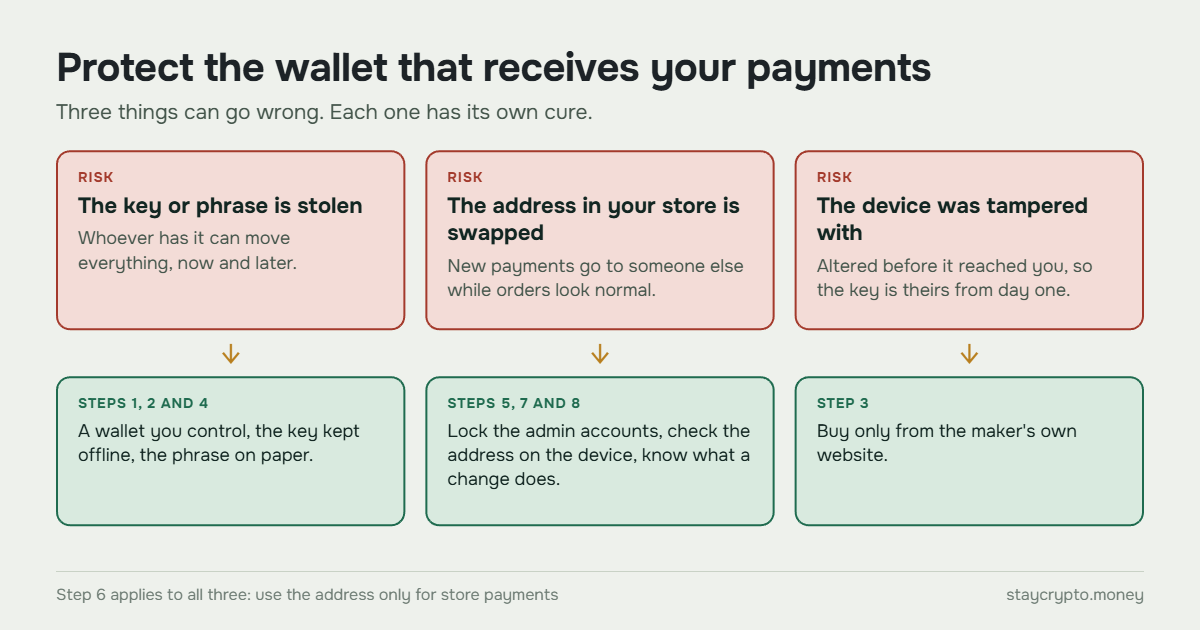
Three things can go wrong, and they have different cures.
Someone gets the private key or the recovery phrase. Then they can move everything, now and in the future. Someone changes the address in your store settings. Then new payments go to them while your orders still look normal. Someone sells you a wallet that was tampered with before it reached you. Then the key is theirs from the first minute.
The steps below cover each of these. If you want the longer argument for why holding your own funds beats trusting a processor, we wrote it up in custodial vs non-custodial payment gateways.
Step 1: Use a wallet you control
Do not put an exchange deposit address in your store settings. That address belongs to the exchange, and your payments get mixed in with its own accounting. If the exchange freezes your account, your sales go with it.
A hot wallet is not much better. By hot wallet we mean a browser extension or a phone app on a device you also use for email and web browsing. The key sits on a machine that is online all day. StayCrypto’s own settings page warns about both cases, because if the address is compromised, every future payment is at risk, not just one.
Step 2: Keep the private key offline
A hardware wallet signs transactions inside the device. The key never leaves it. So even if your website is hacked or someone steals your WordPress password, they cannot move the money from the wallet itself.
One honest limit: a hardware wallet protects the key, not the address field in your store. Step 5 covers that gap.
We compared six hardware wallets against the networks StayCrypto uses on our hardware wallets page. Tron is the network that rules wallets out fastest, so check it first.
Step 3: Buy it only from the maker’s own website
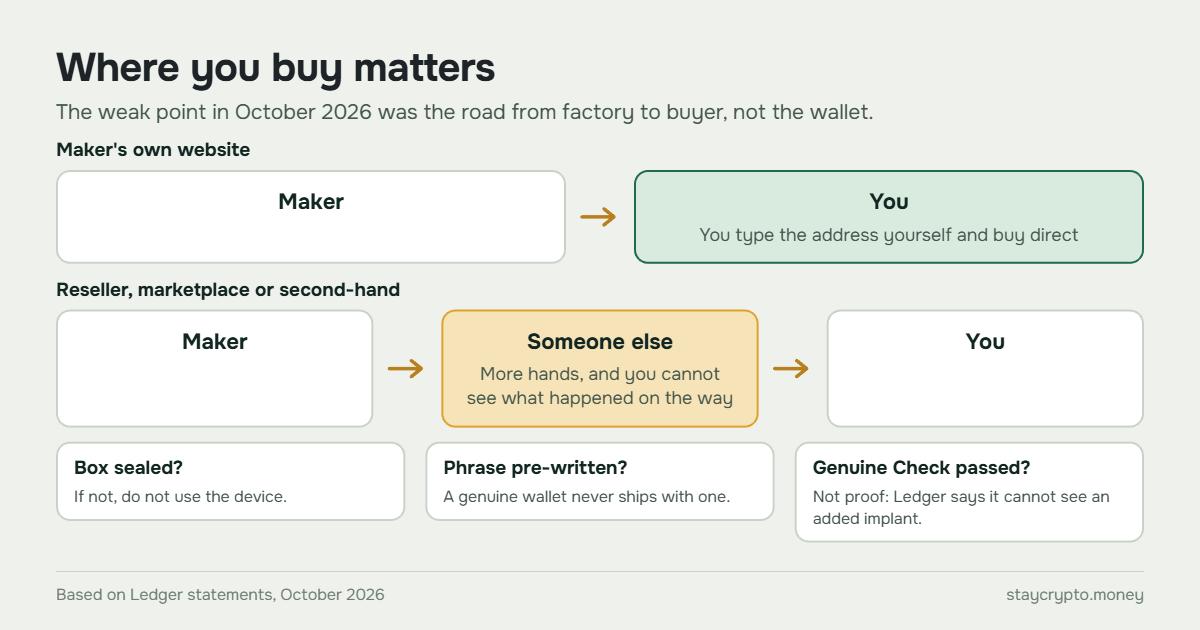
Where you buy matters as much as what you buy. In October 2026, Ledger confirmed that a device sold through a reseller in Southeast Asia contained a hardware implant that did not come from Ledger.
The reseller was CryptoBilis, which sells in Indonesia, Malaysia and the Philippines. Ledger began looking into user reports of drained wallets on 9 October, confirmed the implant on 10 October, and said on 11 October that every confirmed case involved devices bought from that one seller. It later paused sales at resellers across Southeast Asia and Hong Kong.
Researchers who examined the devices say the added electronics copied the recovery phrase during setup and sent it out over a mobile connection. Ledger has not confirmed how many people were affected or how much was lost. Blockchain analysts estimate $86 to $93 million across more than 300 wallets, which is their estimate, not Ledger’s. Ledger also says its own systems and its direct sales were not affected. The story was still developing when we wrote this, so check Ledger’s support site for the latest.
Two lessons carry over to your store. The wallet itself was not the weak point. The weak point was the road between the factory and the buyer. And Ledger says its Genuine Check cannot detect an added implant when the original security chip is still in place, so a device that “passes” is not proof that it is clean.
So the rule is short. Type the maker’s address into your browser yourself and buy only there.
Skip marketplaces, resellers and second-hand listings, even ones that say “official store” or “authorized”. Some of those pages are run by a reseller, not by the maker. The box should arrive sealed. A genuine wallet never comes with a recovery phrase already written down. If one does, do not use it.
Step 4: Protect the recovery phrase
The recovery phrase is the wallet. Anyone who has the words has the money, and no support team can take it back.
Write it on paper when the device shows it during setup. Do not photograph it, do not type it into a notes app, do not keep it in cloud storage. Never type it into a website, a browser extension or a chat window, whoever asks. Real support from a wallet maker will not ask for it. If a message says your wallet needs “verification” or “syncing” with your phrase, that is a scam.
Keep the paper somewhere you can find in five years, and think about a second copy in a different place. A fire or a flood should not be able to end your business.
Step 5: Control who can change the address in WordPress
This is the step people skip, because the hardware wallet makes them feel finished.
In StayCrypto, the wallet addresses live in the plugin settings, and only a site administrator can change them. A shop manager can see the addresses but not edit them. That helps, but an attacker who gets into an administrator account can still swap the address. Then buyers pay the attacker, and because the plugin now watches the attacker’s address, orders can even look paid in WooCommerce while your own wallet receives nothing.
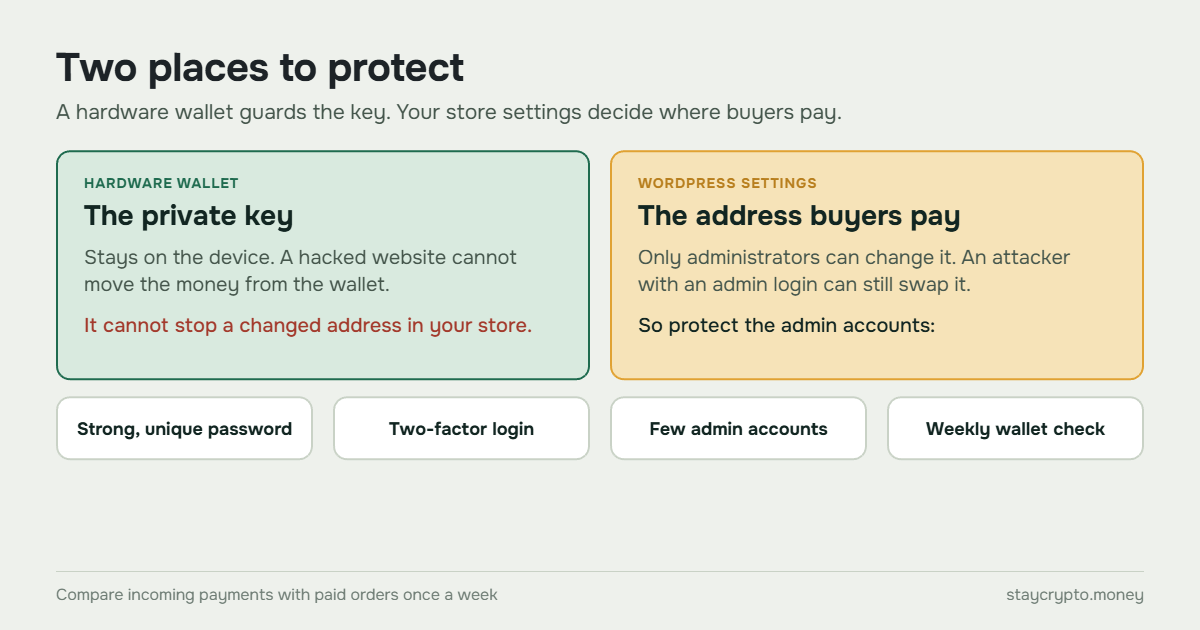
So protect the administrator accounts:
- Use a long, unique password for every account that has the administrator role.
- Turn on two-factor login with a security plugin of your choice.
- Delete old administrator accounts and give agencies and freelancers a lower role.
- Keep WordPress and its plugins up to date.
And do not rely on the WooCommerce order list alone. Once a week, open your wallet (or a blockchain explorer for your address) and compare the incoming payments with your paid orders. If orders are marked paid but the wallet shows nothing, the address is the first place to look.
Step 6: Use the address only for the store
StayCrypto recognizes which order was paid by the exact amount, including a small unique tail after the decimal point. A random transfer to the same address does not break the payments, but it makes your records harder to read. Keep one address for store payments and use a different one for everything else.
The three EVM networks (Ethereum, BNB Chain and Polygon) share one address format, so a single address from your wallet works on all three. Tron needs its own address.
Remember that refunds also come out of this wallet. A crypto payment cannot be reversed, so a refund is a new transaction that you send yourself. We cover the common cases in crypto chargebacks and refunds.
Step 7: Check the address on the device and send a test payment
Do not trust the address you pasted until you have compared it with the one shown on the wallet’s own screen. Malware on a computer can change what is on the clipboard. The screen of a hardware wallet is the one place it cannot reach.
Then run a test before you take real orders. Place a small order in your store, pay it from a different wallet, and check three things: the order moves to Processing, the amount shows up in your wallet, and the Telegram notification arrives if you enabled it.
Step 8: Know what happens when you change the address
Sooner or later you may move to a new wallet. When you change an address for a network, StayCrypto stops watching the old one. Before you save, it shows a warning listing orders whose buyers may still pay the old address: orders waiting for payment, and orders that expired unpaid in the last two hours. After you save, it sends the same list to Telegram (if you have set Telegram up) with a link to the old address’s history. Buyers who still have the payment page open are shown the new address and told that it changed. Saving is never blocked, so the decision stays with you.
In practice, change the address when few orders are open, and keep access to the old wallet for a while in case a late payment arrives.
If something goes wrong
If you think the key leaked or the address was changed, act in this order:
- Switch the payment method off in WooCommerce under Settings, Payments, so no new buyer is sent to a compromised address.
- If the key may have leaked, move the funds to a new wallet with a new recovery phrase as fast as you can. A transfer cannot be undone.
- Put the new address into the store settings. The plugin will warn you about orders still waiting on the old one.
- Change the passwords and sign out all users in WordPress, then read the plugin log for address changes you did not make. It records each change with the user who made it.
Funds sent to a thief cannot be pulled back, so the habits above matter more than any steps taken afterwards.
What to check every week
Five minutes is enough. Compare the wallet’s incoming payments with your paid orders. Look at the list of payments the plugin could not match to an order: the plugin does not credit those on its own, and you decide whether to confirm or reject each one. Check that the Telegram notifications still arrive. Install firmware updates only through the maker’s official app, from the maker’s own website.
FAQ
Do I need a hardware wallet to use StayCrypto?
No. Any wallet that can create an address on the network will work. A hardware wallet is recommended because the private key stays offline, so a compromised website cannot move your money.
Is it safe to put my wallet address in the plugin settings?
Yes. The plugin only asks for a public address, the same kind you give someone who wants to send you money. It never needs a private key or a recovery phrase. If anything asks you for the phrase, stop.
Can I use an exchange address?
We do not recommend it. The address belongs to the exchange, and your payments end up inside its accounts. Use a wallet you control.
I bought a Ledger from a reseller. What should I do?
Follow Ledger’s current guidance on its support site, because the story is still developing. At the time of writing, Ledger advised people who bought from the affected seller not to set up an unused device. If you already set one up, it advised moving your funds to a new recovery phrase on a device bought directly from Ledger.
StayCrypto is a free WooCommerce plugin that sends USDT and USDC payments straight to the address you choose. You can find it on the plugin page.